
Workspace Setup
Anvil sets a number of default settings when creating new Blender files. The following are notable:
- Enable grid snapping.
- Set unit system to None and grid subdivisions to 1
- Lock camera rotation for orthographic grid views, while preserving hotkeys.
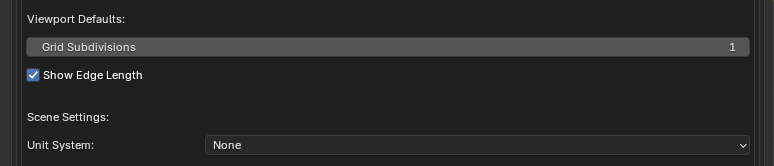
Default unit system and grid subdivisions can be adjusted in addon preferences.
Setup Reference
Blender workspace settings are saved on a per file basis. Default settings not controlled by Anvil can be controlled using a custom startup file.
The following images will help you find settings that may be useful for level design.

Toggle grid snapping. Grid snapping mode can be toggled between incremental and absolute using Ctrl-G. Also see Grid Controls
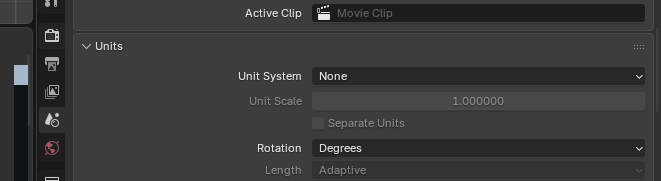
Unit system can be changed for the current scene in scene settings; the default unit system can be adjusted in addon preferences.
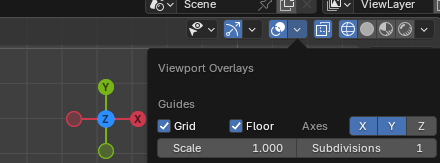
Grid subdivisions can be changed for the current file/viewport in viewport settings; the default grid subdivisions can be adjusted in addon preferences.
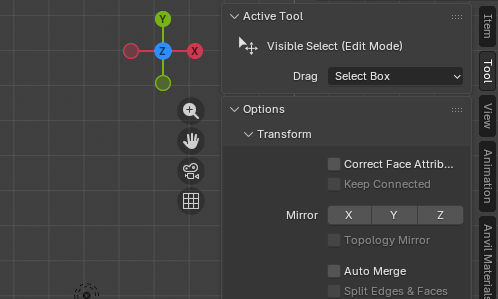
Anvil does not control Auto Merge; enabling it may provide an easier design experience.
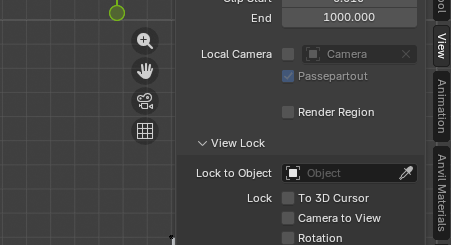
Camera rotation locking can be toggled in the View settings.