Addon Preferences
Anvil preferences can be found at Edit -> Preferences -> Addons -> Anvil Level Design.
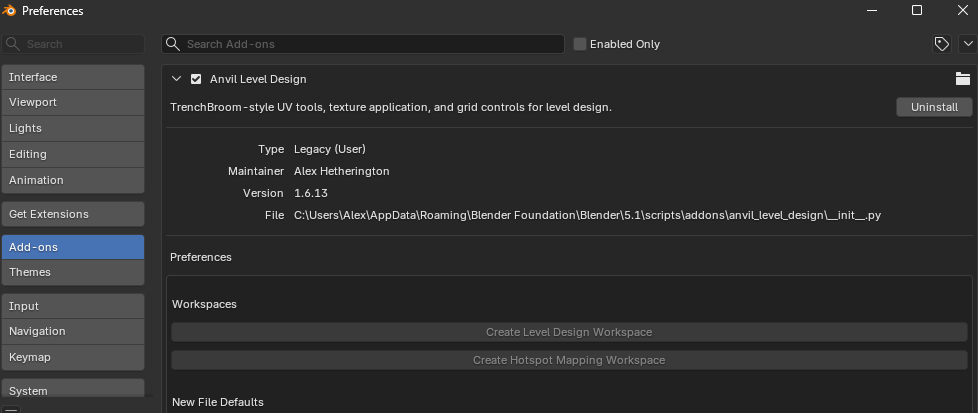
In addition to general preferences, there are buttons to recreate the Level Design and Hotspot Mapping workspaces if they are lost.
New File Defaults
The new file preferences determine viewport and scene values initialised in new .blend files. Once a file has been created, these settings can all be changed elsewhere for that file. That is, set the values here based on what you prefer most of the time.
Grid subdivisions determines how much the grid will change based on zoom level. A value of 1 means the grid will not change based on zoom level.
Show Edge Length adds a length overlay in the 3D view.
Unit System determines which unit system Blender uses. The unit system None is required to have 1 grid subdivision.
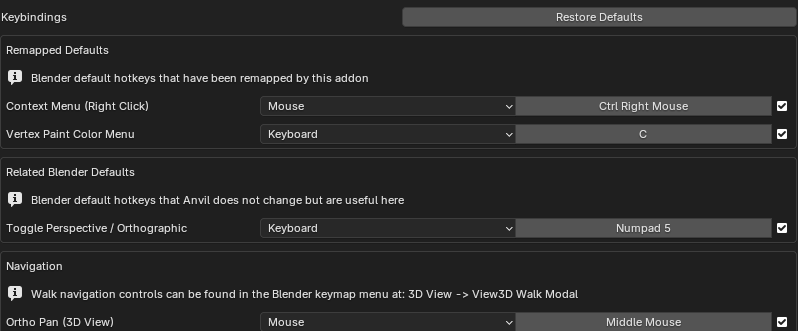
Keybindings
Anvil Keybindings are all present in the normal Blender keymap editor: Edit -> Preferences -> Keymap.
They are collected in the addon preferences for your convenience.
Additionally included are non-Anvil keybindings changed to be compatible with Anvil defaults, and other related non-Anvil keybindings.
Anvil keybindings can be unset to disable features.
Default keybindings that are overridden by Anvil will become immediately available when the Anvil keybinding is unset or changed.